Licences and activation codes
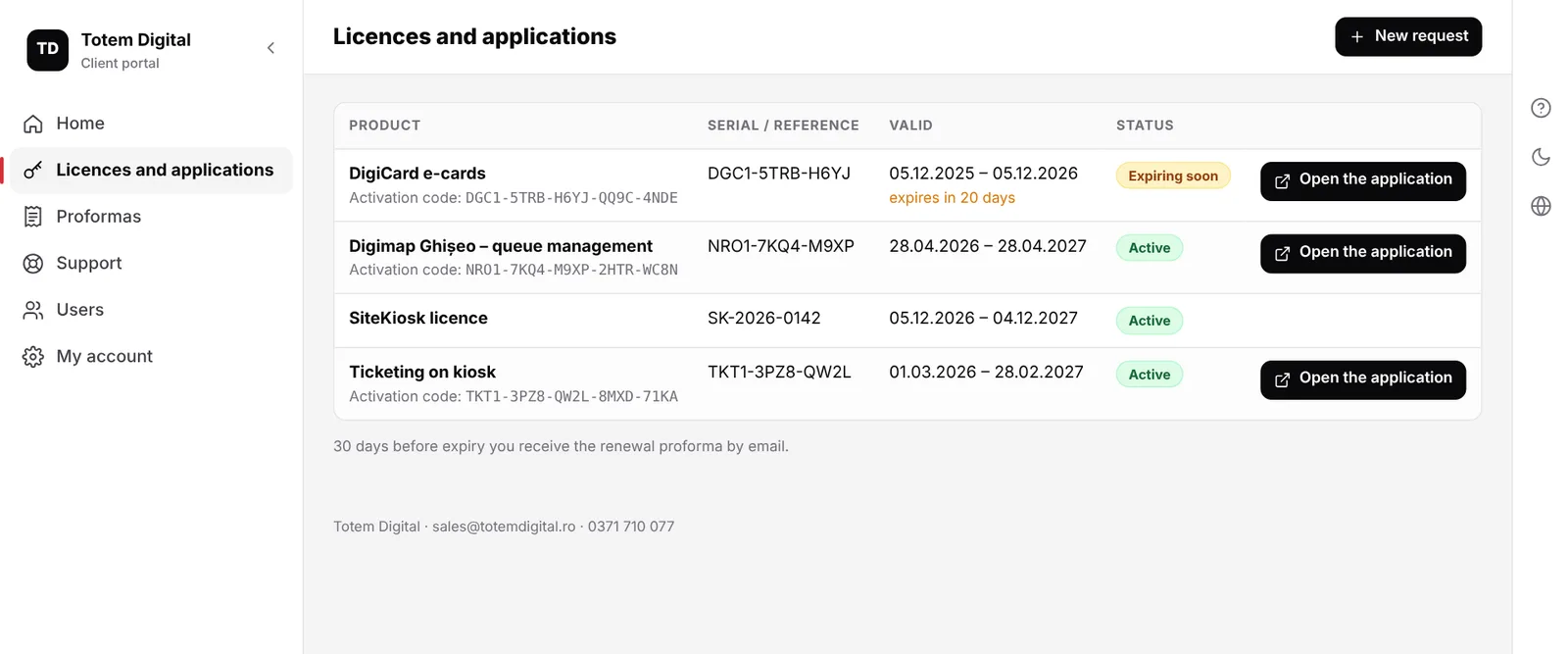
Each licence with its validity period, status and activation code. 30 days before expiry you receive the renewal proforma.
Totem Digital client portal · for clients of the Digimap applications
See when each licence expires, open Ghișeo, Ticketing or DigiCard without another password, pay proformas online and ask for help from one place. Colleagues get access only to what they need.
What you find in the portal
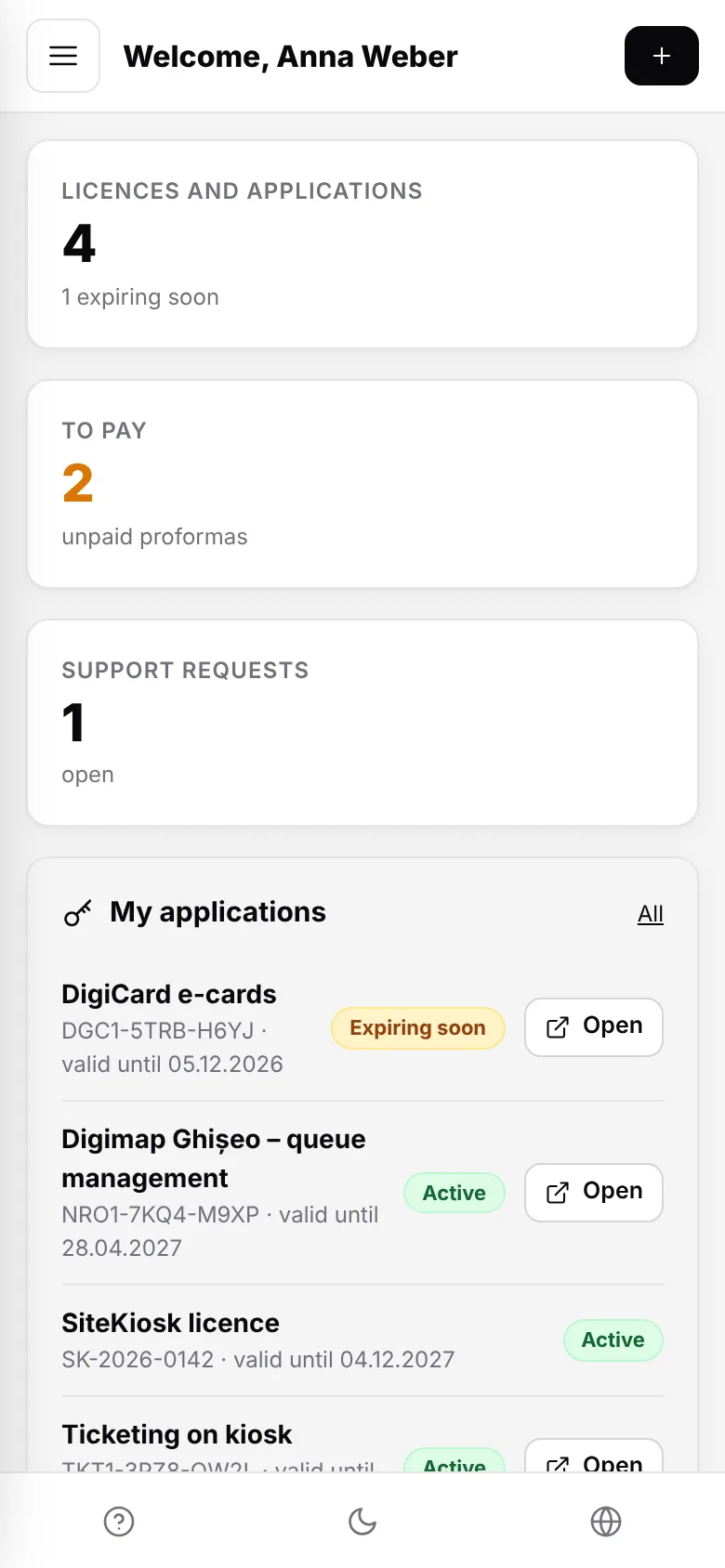
Licences, activation codes, proformas to pay, support requests and contract hours sit in one place, updated automatically.
Each licence with its validity period, status and activation code. 30 days before expiry you receive the renewal proforma.
The “Open the application” button takes you into the Ghișeo, Ticketing or DigiCard panel without a username or password. The account owner enters as administrator.
Proformas in a clean, unified design, downloadable as PDF, paid by bank transfer or by card, Apple Pay and Google Pay.
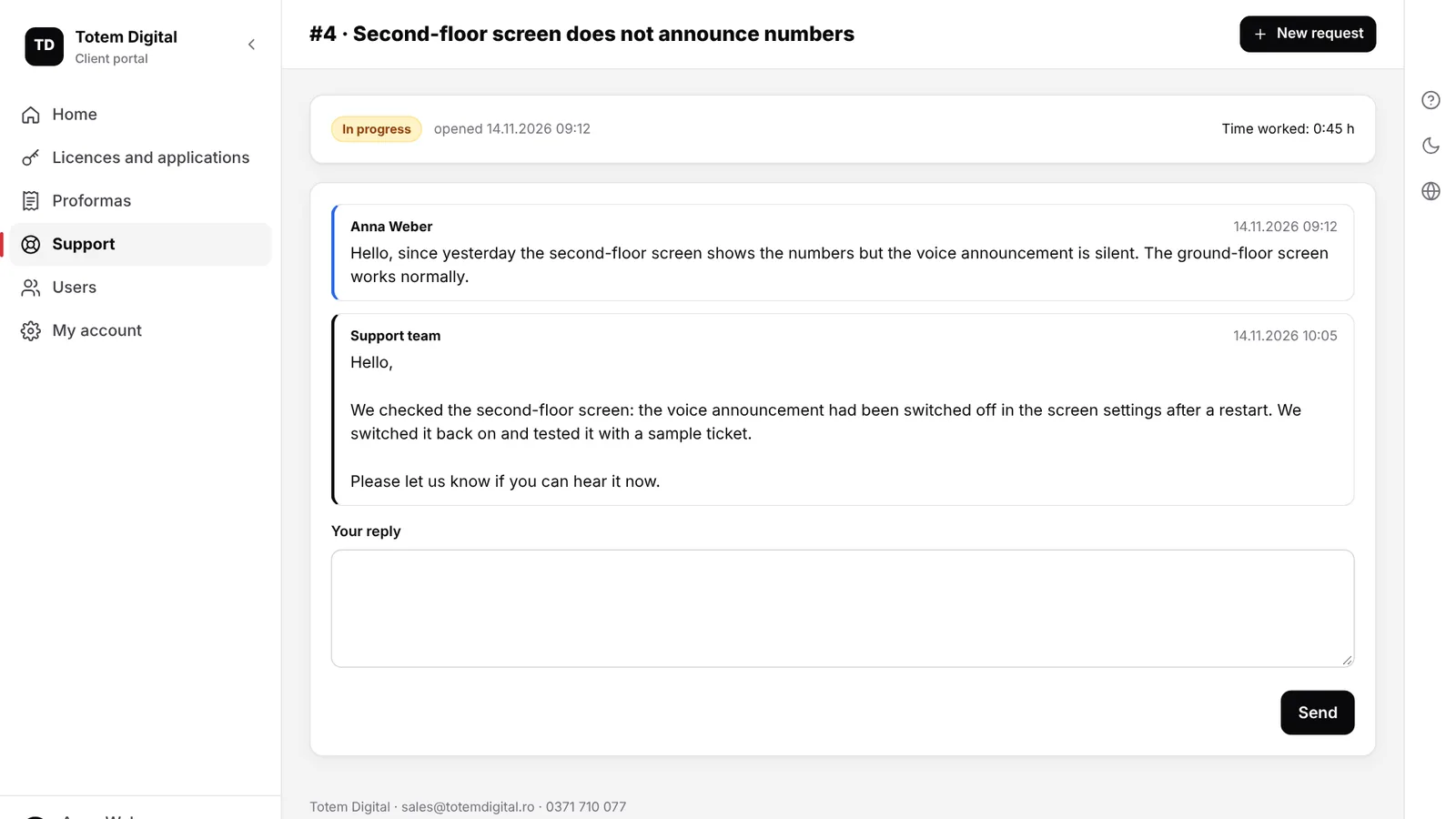
Numbered requests, replies by email and in the portal, attached screenshots and the time worked on each request.
The owner adds colleagues and ticks what each one sees: only Ghișeo, only Ticketing, with or without proformas and payments.
With a maintenance contract you see how many hours you have used this month, before an extra invoice appears.
All licences you bought from us, with serial, period and activation code. Those expiring soon are flagged, and renewal is done from the proforma you receive by email.
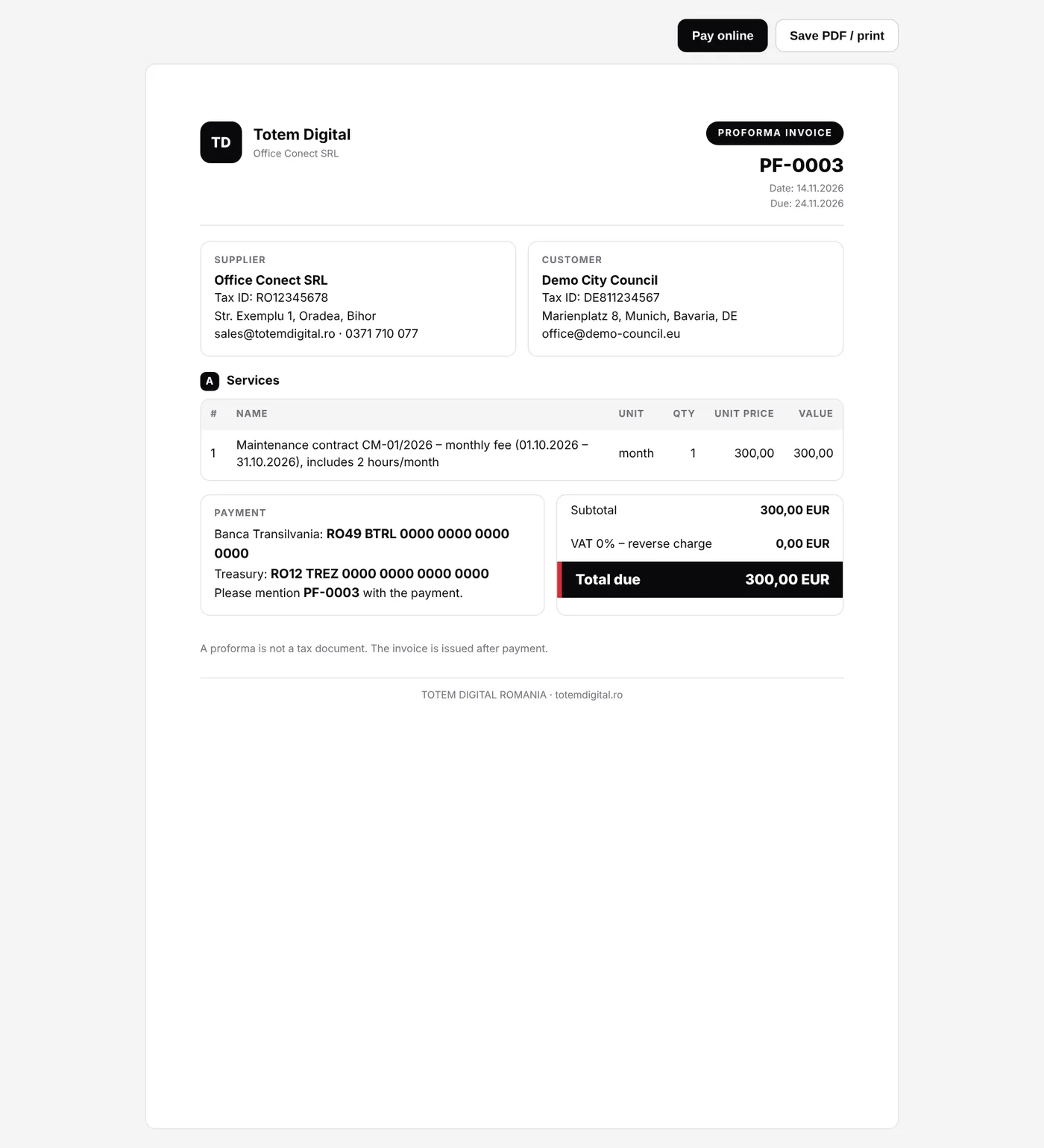
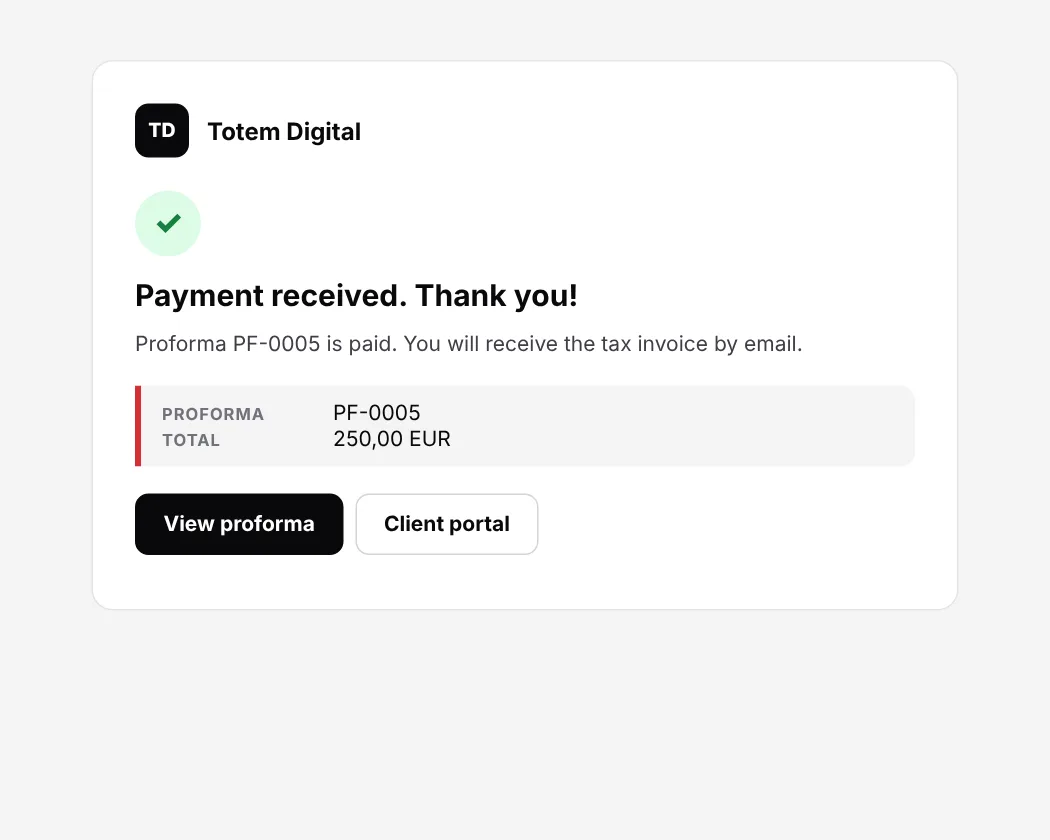
Proformas arrive by email with a view link and stay in the portal. Save them as PDF for accounting or pay them online, on the payment processor's secure page, in your language.
Describe the problem in the portal, with a screenshot. Each reply arrives by email and stays in the portal, where you can answer in turn. You can see the request status at any time.
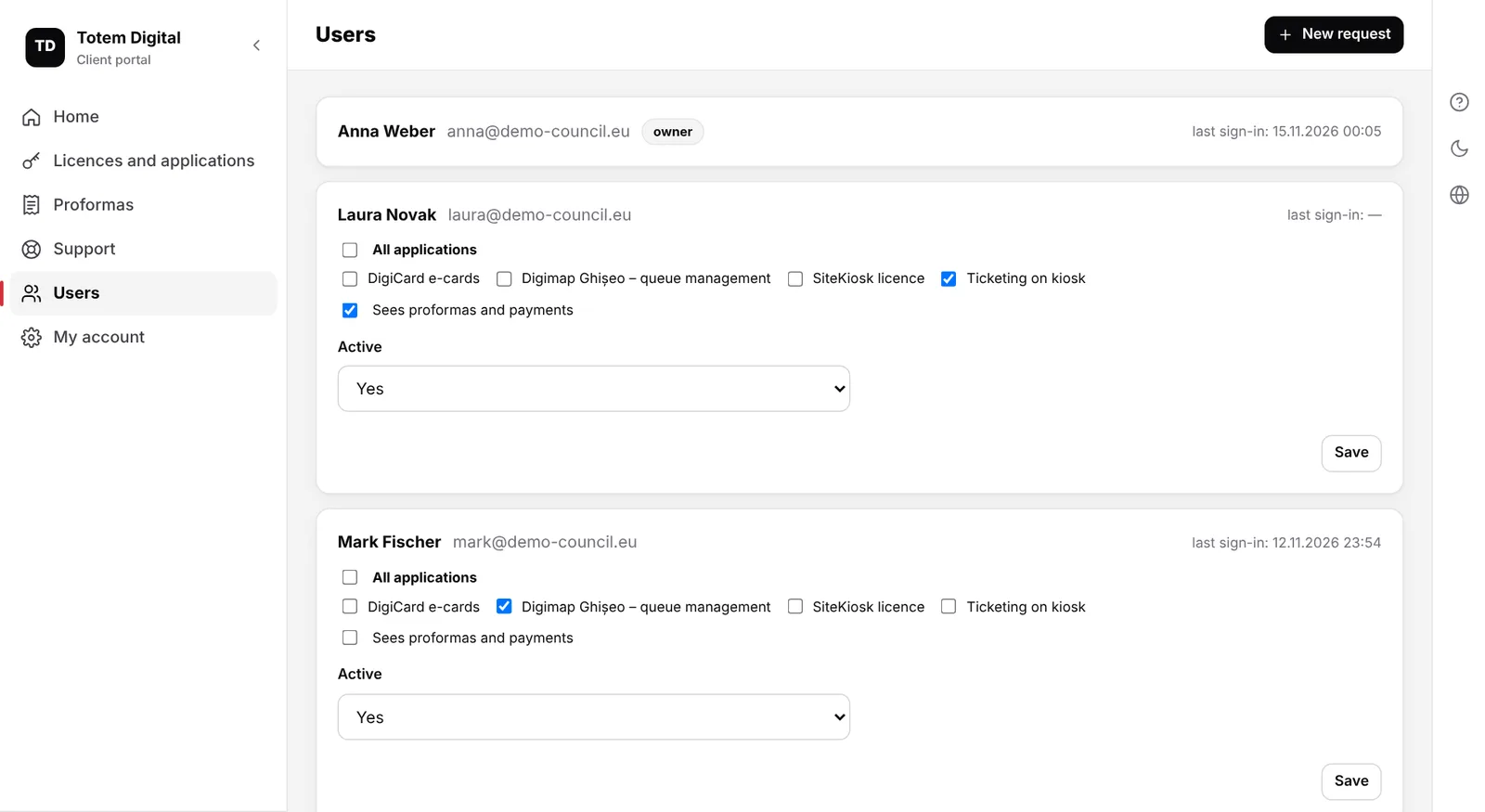
The account owner adds colleagues from the portal. Each one receives their own account by email and enters only the ticked applications. Proformas and payments are visible only to those who need them.
The portal adapts to any screen. Choose the language in the corner of the page; it is kept for your emails and proformas too, which helps teams and branches in different countries.
Getting started
After you buy a licence or a service, we create your account. You receive the portal address and a password.
Your licences, activation codes and proformas are already there. Change the password under My account.
Under Users, each colleague gets their own account, with only the applications they need.
Applications you open from the portal
Each application keeps its own installation and data. The portal is the single door to all of them.
Queue management: kiosk with printed tickets, screens with voice announcements, priority tickets and automatic reports.
Ticket sales on the kiosk with card payment, printed QR tickets and turnstile access.
Electronic postcards sent from the kiosk, inviting friends to visit the attraction.
Interactive 3D tourist map for kiosks, with walking routes taken to the phone by QR code.
Security
The link to an application is digitally signed, valid for 2 minutes, only for that application's address, and usable once.
Online payment happens on the payment processor's page. We only receive the confirmation that the proforma has been paid.
Each colleague has their own account, and the owner decides what they see. A forgotten password is reset with a link valid for one hour.
FAQ
After you buy a Totem Digital licence or service, we create your account and email you the portal address and password. If you already have licences from us and have not received an account, write to sales@totemdigital.ro.
On the sign-in page click “Forgot your password?” and you receive by email a link, valid for one hour, to set a new password.
Yes. Card payment is an extra option. Bank transfer remains available; write the proforma number in the payment details and the payment is recognised automatically.
Proformas are issued in euro or Romanian lei. Businesses in other EU countries with a valid VAT number receive reverse-charge proformas, with 0% VAT.
Only if the account owner ticks “Sees proformas and payments” for that colleague. Otherwise the colleague sees only the applications they can access and the support requests.
No, for the Digimap applications where direct sign-in is enabled. “Open the application” takes you straight to the application's panel. The username and password of the application remain valid as an alternative.
No. The public support form works without an account: you receive a confirmation by email with a link to follow the replies.
Manual
Licences and direct sign-in, proformas and online payment, support requests and colleagues' accounts, explained with examples.
Write to us and we will create your account, with all your licences, proformas and requests already loaded.